
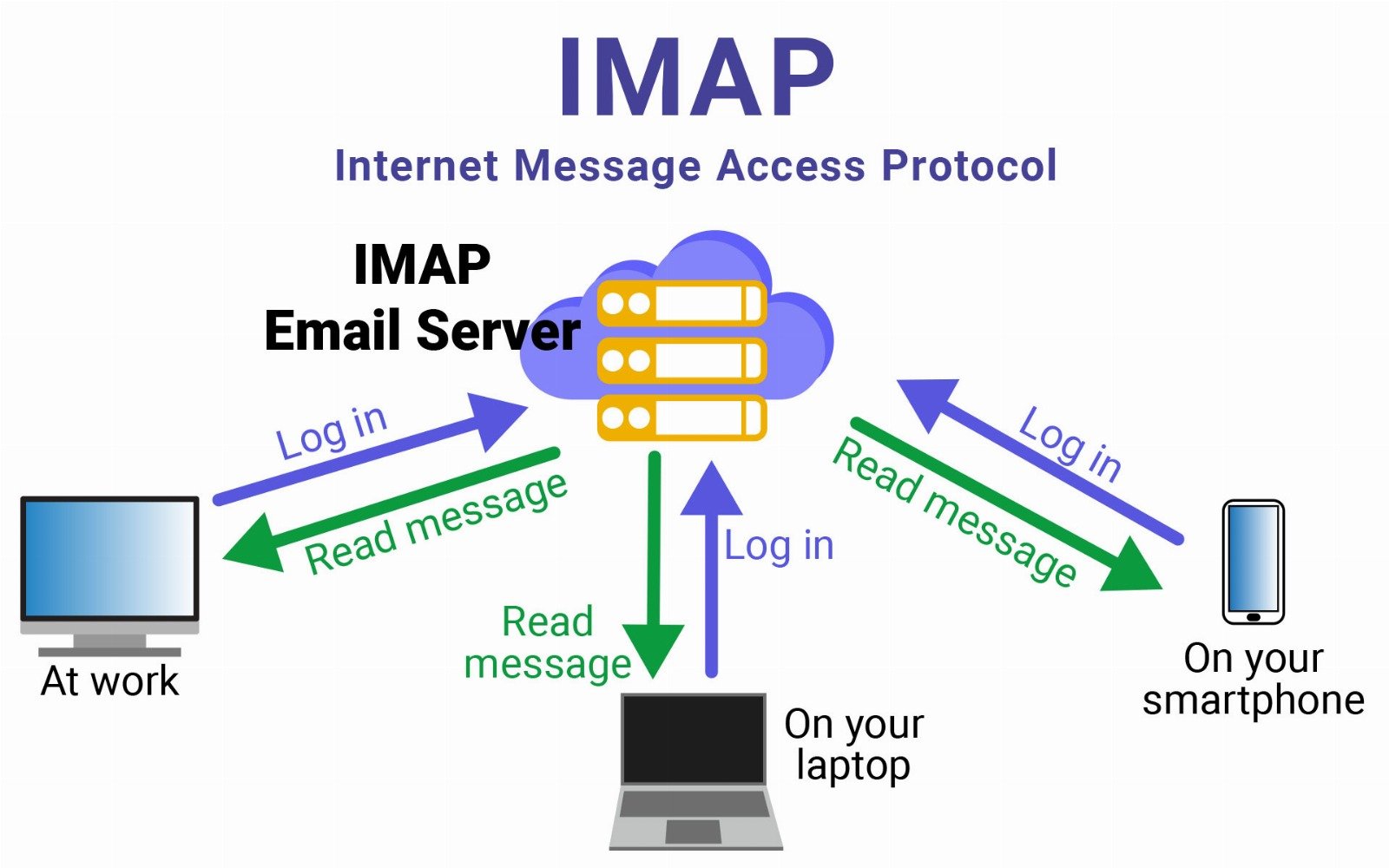
IMAP (Internet Message Access Protocol) is an email protocol used to retrieve and manage email messages from a mail server. Unlike some older protocols, IMAP keeps emails stored on the mail server rather than downloading them permanently to a single device. This allows users to access their mailbox from multiple devices while maintaining a consistent view of their emails.
IMAP operates at the Application Layer (Layer 7) of the OSI model and is widely used in modern email services. When an email client connects to an IMAP server, the mailbox contents are synchronized so that actions such as reading, deleting, or organizing emails are reflected across all connected devices. This makes IMAP especially suitable for users who regularly access their email from computers, smartphones, and tablets.
Common IMAP Ports
| Port | Purpose |
|---|---|
| 143 | Standard IMAP (unencrypted) |
| 993 | IMAPS (encrypted using SSL/TLS) |
How IMAP Works (Simplified)
- Email arrives at the mail server via SMTP.
- The email is stored on the server.
- The user’s email client connects to the server using IMAP.
- The client displays the email but does not download it permanently by default.
- Actions such as read, delete, move, or flag are synchronized across all devices.
Example:
- Read email on phone → appears read on laptop.
- Delete email on laptop → disappears from tablet.
Pros
- Multi-Device Synchronization: Emails and mailbox changes are synchronized across multiple devices, allowing users to access the same updated mailbox from computers, phones, and tablets.
- Server-Side Storage: Messages remain stored on the mail server, reducing the risk of losing emails if a device fails or is replaced.
- Efficient Email Management: IMAP supports server-side folder structures, message flags, and message searching, making it easier to organize and manage large volumes of email.
- Selective Download: Email clients can download only message headers initially, allowing users to preview messages without downloading full attachments immediately.
- Suitable for Cloud-Based Email Systems: IMAP integrates well with modern cloud email platforms such as Microsoft 365 and Gmail, supporting centralized mailbox management.
Cons
- Requires Constant Server Access: Emails require an internet connection to fully access them because the messages are stored on the server.
- Higher Server Storage Usage: Since emails remain on the server, organizations must allocate sufficient storage capacity for user mailboxes.
- Performance Can Decrease with Large Mailboxes: Mailboxes containing very large numbers of messages can slow synchronization and searching operations.
- Dependent on Server Availability: If the mail server is unavailable due to maintenance or network issues, access to emails may be limited.
- More Complex Management: Compared with simpler protocols such as POP3, IMAP requires more server resources and configuration to maintain synchronization across devices.
Summary Table
| Feature | IMAP |
|---|---|
| Purpose | Retrieve and manage emails |
| OSI Layer | Layer 7 (Application) |
| Storage | Emails remain on server |
| Synchronization | Yes (across devices) |
| Security | SSL/TLS encryption available |
| Typical Use | Multi-device email access |
Conclusion
IMAP is widely considered the preferred protocol for retrieving email in modern environments because it supports centralized storage and synchronization across multiple devices. This flexibility allows users to access their email consistently from different locations and devices while keeping the mailbox synchronized.
Although IMAP requires reliable server infrastructure and adequate storage capacity, its advantages outweigh its limitations in most modern deployments. For this reason, IMAP is commonly used in business and cloud email systems, typically working alongside SMTP for sending emails and TLS encryption to ensure secure communication between clients and servers.