
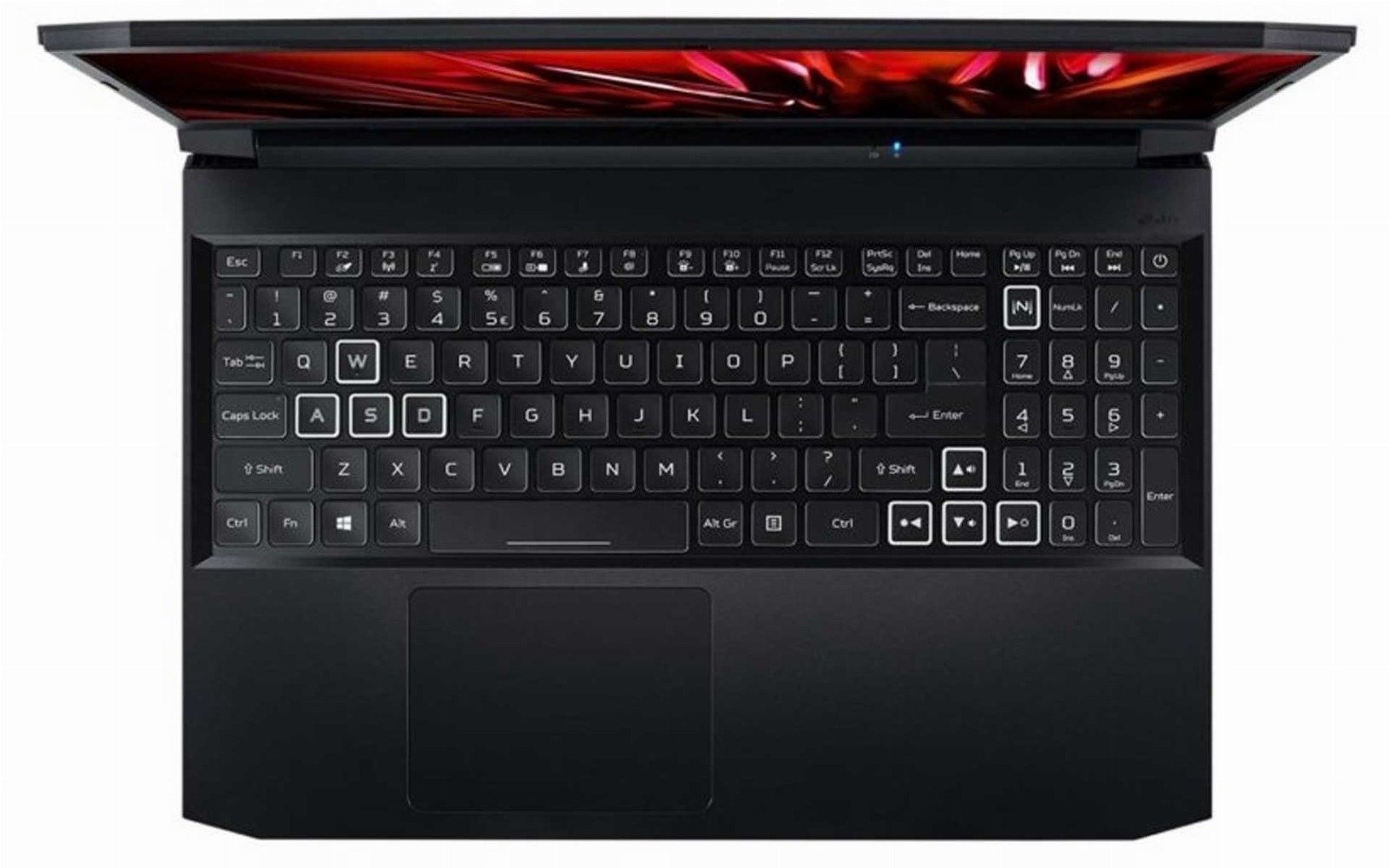
WASD keys refer to the W, A, S, and D keys on a standard QWERTY keyboard, commonly used as directional controls in PC gaming. This layout has become the de facto standard for movement in most PC games, largely replacing the older arrow keys configuration due to its ergonomic placement relative to other gaming keys and its compatibility with the natural resting position of the hands on the keyboard.
The adoption of WASD for movement allows gamers to use their left hand for direction, while the right hand typically manages the mouse for aiming, shooting, or other actions. This setup provides efficient and comfortable control, giving players quick access to additional keys surrounding the WASD cluster for secondary actions like jumping (spacebar), crouching (Ctrl), and accessing in-game tools or weapons (number keys).
Pros:
- Ergonomic Design: The WASD keys are conveniently located for the average user’s hand placement, reducing strain during extended gaming sessions.
- Quick Access to Additional Controls: Surrounding keys such as Shift, Ctrl, and spacebar are easily reachable, allowing for complex input without needing to reposition the hand.
- Customization: Most modern games offer the ability to customize key bindings, allowing users to tailor controls to their preferences, although WASD remains the default setup in many games.
Cons:
- Learning Curve: For new PC gamers, particularly those transitioning from console gaming, using the WASD keys can require an adjustment period.
- Less Intuitive Than Controllers for Some Games: In some gaming genres, like racing or platformers, a game controller might offer a more intuitive or comfortable experience.
- Fixed Position: While customizable in software, the physical positioning of the WASD keys on the keyboard is fixed, which might not be optimal for all users based on hand size or personal comfort.
Conclusion: The WASD keys are central to the PC gaming experience, providing an effective and widely accepted method for navigating virtual environments. Their strategic placement allows for easy access to numerous other control options, enhancing gameplay through quick and responsive actions. As PC gaming continues to evolve, the WASD layout remains a fundamental element due to its effectiveness and the familiarity it offers to seasoned gamers.