
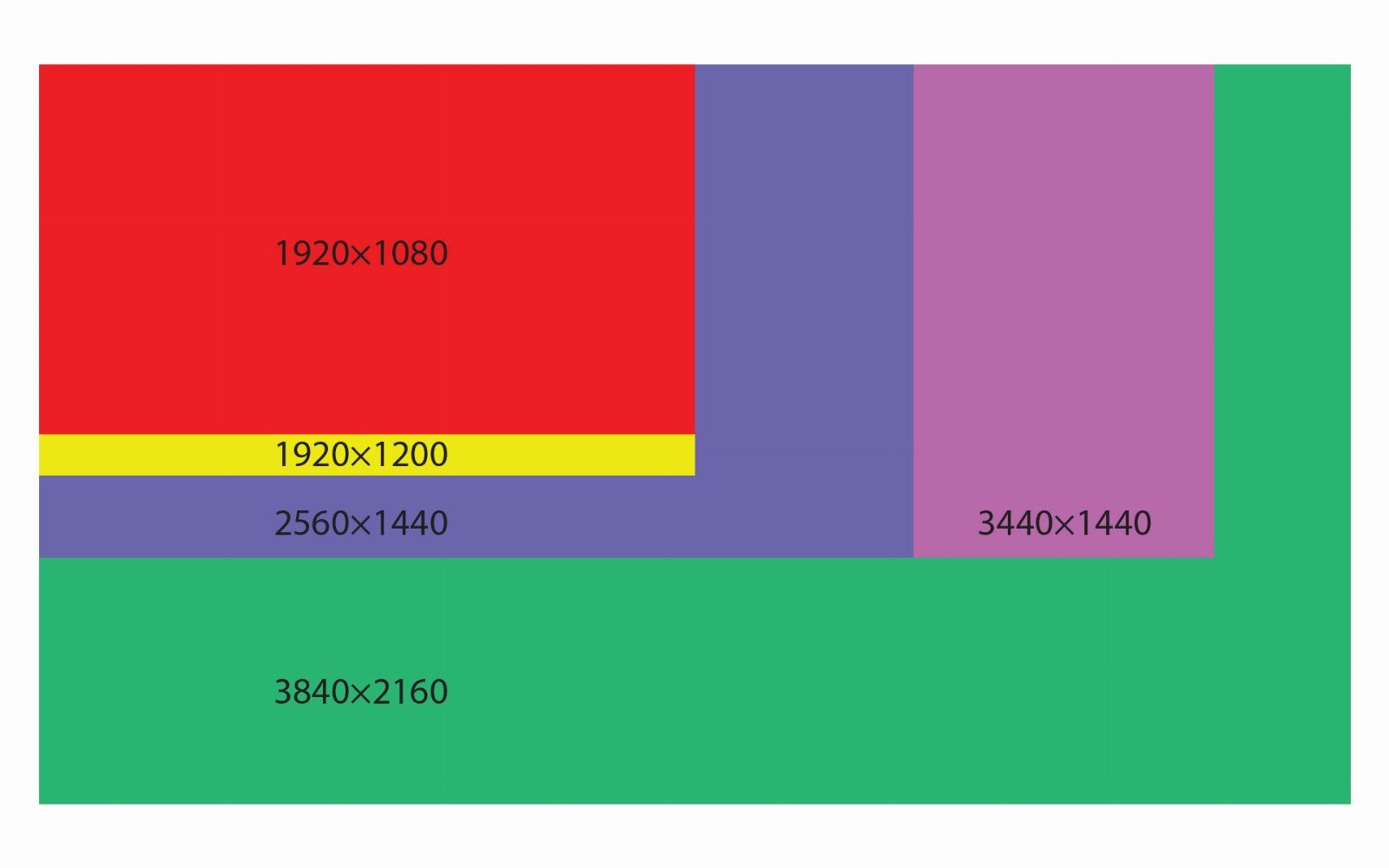
Resolution refers to the number of pixels that compose the picture on a display, represented by the width and height dimensions (e.g., 1920x1080). It plays a crucial role in determining the sharpness and clarity of the images and text displayed on a screen. Higher resolutions provide more detail and allow for a clearer, more defined picture.
Importance
- Image Quality: Higher resolutions offer finer detail, making them ideal for professional graphic work, gaming, and viewing high-definition video content.
- Productivity: Higher resolution screens can display more content at once, improving multitasking and productivity by allowing more windows or applications to be visible simultaneously without overlap.
Pros
- Sharper Images and Text: Enhances the clarity and crispness of visual content, making everything from reading text to viewing photos and videos more enjoyable.
- Better for Detailed Work: Essential for tasks requiring precision, such as photo editing, graphic design, and CAD applications.
- Enhanced Immersive Experience: Higher resolutions, especially in gaming and virtual reality, can significantly improve immersion and realism.
Cons
- Higher Hardware Demands: Displaying higher resolutions requires more powerful graphics processing power, which can impact performance on less capable systems, especially in demanding applications like 3D gaming or high-resolution video editing.
- Increased Cost: Monitors with higher resolutions are generally more expensive.
- Scaling Issues: Some applications and user interfaces may not scale well at higher resolutions, leading to tiny, hard-to-read text and icons, although modern operating systems have largely addressed these issues with better scaling options.